
AI agents and MCP · 9 min read
What is an MCP server? A plain-English explanation
An MCP server lets an AI assistant reach a system it cannot see on its own. See what it exposes, how a tool call flows, how local and remote servers differ, and what the specification says about security.
By The Vexio team Published Updated
What is an MCP server?
An AI assistant can explain how to check an order, but it cannot check one. It has no route into your order system, your support desk or your files, and pasting data into a chat by hand does not scale.
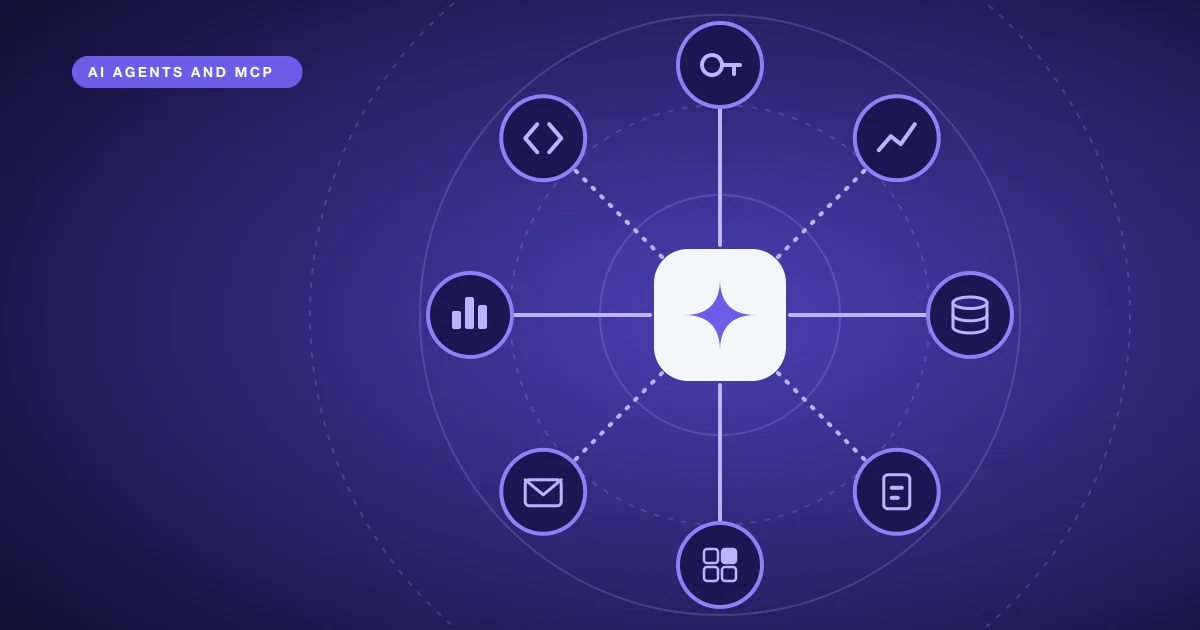
So, what is an MCP server? It is a program that exposes tools, data and prompt templates to AI applications through the Model Context Protocol (MCP), an open standard for connecting AI applications to external systems. An application such as Claude Code or Visual Studio Code connects to the server, asks what it offers, and lets the model call those tools or read that data when a task needs it. The server can run on your own machine or on a remote host.
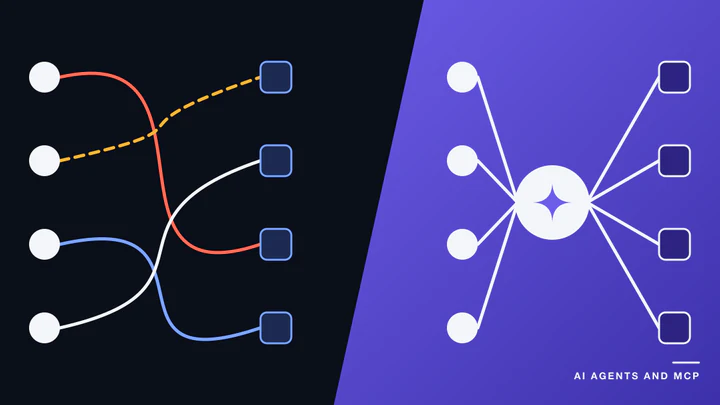
The protocol’s documentation compares MCP to a USB-C port for AI applications: one standard connector instead of a custom cable for every system. That is a fair summary of the value. MCP does not make a model smarter. It standardises how an application finds out what a system can do and asks it to do it.
The spec facts below were checked on 2026-10-14. On that date the specification page resolved to revision 2026-07-28, and the revision before it was 2025-11-25.
The three roles: host, client and server
MCP has a client-server architecture, and the word “client” has a narrower meaning here than usual.
- Host. The AI application the person uses, for example Claude Code, Claude Desktop or Visual Studio Code. It contains the model and decides when to call tools.
- Client. A component inside the host that holds one connection to one server. A host connected to four servers runs four clients.
- Server. The program that provides context and capabilities. This is the part you build or install.
So someone who says they built an MCP server built the program on the right-hand side. They did not build a chatbot or a model. The host brings both.
What can an MCP server expose?
The specification defines three things a server can offer. They differ mainly in who decides when each is used.
| Primitive | What it is | Who controls it | Example |
|---|---|---|---|
| Tools | Functions the model can call to act or compute | The model | Look up an order, create a ticket, run a query |
| Resources | Read-only data that gives context | The application | A document, a database schema |
| Prompts | Reusable instruction templates | The user | A “summarise this week’s tickets” command |
Tools are what most people mean when they talk about MCP, because tools let an assistant do something rather than only talk about it. A server with one well-designed tool is already a complete, valid MCP server.
Each tool is described by a name, a description and a JSON Schema for its inputs. The description matters more than it looks. It is the main thing the model has to go on when it decides whether to call the tool and what arguments to send, so vague descriptions produce wrong calls.
How does a tool call work?
A typical interaction looks like this:
- The client asks the server for its tools with a
tools/listrequest. The server replies with each tool’s name, description and input schema. A client may first sendserver/discover, which every server must implement, to learn the server’s supported versions and capabilities. - The host passes those tool definitions to the model along with the user’s request.
- The model decides a tool is useful and produces a call with arguments.
- The client sends a
tools/callrequest to the server. - The server does the work and returns a result, usually text content, which the host gives back to the model.
- The model writes its answer using that result.
The messages are JSON-RPC 2.0, a lightweight, transport-agnostic format for remote calls. You rarely write them by hand, because the official SDKs handle the protocol and you write the tool logic.
The protocol has changed shape over time. According to the 2026-07-28 changelog, that revision removed the initialize handshake and protocol-level sessions. In that revision every request carries its protocol version and the client’s capabilities, so a server can answer each one on its own. Revisions up to 2025-11-25 opened with the handshake, which is why older tutorials describe a different start. If you build with an SDK, it implements the revision it targets, so read its notes on older clients before you rely on them.
Local and remote MCP servers
MCP defines two standard transports, which decide how messages move between client and server.
stdio is for local servers. The host launches the server as a subprocess and exchanges messages over its standard input and output. The server must not write anything to standard output except valid MCP messages, so logging goes to standard error. A stray console.log in a Node server breaks the connection.
Streamable HTTP is for remote servers. The server exposes one HTTP endpoint, the client sends each message as a POST, and the server answers with either a single JSON object or a stream of events. A remote server can serve many clients at once, and this is the transport that works with standard HTTP authentication.
“Local” and “remote” describe where the server runs, not what it can do. A file-system server on your laptop and a hosted server for a SaaS product are both MCP servers. Hosting a remote one is ordinary cloud and DevOps work: TLS, secrets, deployment and monitoring.
What an MCP server does not do
- It is not an AI agent. The server waits for calls. The host and its model plan and decide. An agent may use MCP servers as its toolbox, but a server by itself does not reason. For the agent side, see how custom AI agent development projects are scoped and priced.
- It does not replace your API. Most useful servers sit in front of an existing API or database and shape it for a model. The comparison of MCP and REST APIs covers that relationship.
- It does not decide how the model is used. The documentation says MCP focuses solely on context exchange and does not dictate how applications use language models.
- It is not automatically safe. A server runs code and can touch real systems.
What does the spec say about MCP server security?
Because a tool can change real data, the specification includes security guidance. Even if you only install servers, it tells you what to look for.
- A human should be able to refuse. The tools page says there should always be a human in the loop with the ability to deny tool invocations. That is a recommendation to hosts, not a guarantee, so check how your host behaves.
- Servers must validate. The specification says servers must validate all tool inputs, implement access controls, rate limit invocations and sanitise outputs.
- Annotations are untrusted. Clients must treat tool annotations, which describe tool behaviour, as untrusted unless they come from a trusted server.
- Authorization is optional, but defined for HTTP. Where it is used over HTTP, the MCP server acts as an OAuth resource server, must accept only tokens issued for it, and must not accept or pass on other tokens.
- Local HTTP servers need care. Servers using Streamable HTTP must validate the
Originheader to prevent DNS rebinding, and should bind to localhost when running locally. - Local servers run with your privileges. The security guidance warns that a locally run server can execute arbitrary code on your machine. Install one with the care you would give any software.
When you evaluate a vendor’s server, ask what it exposes, which identity it acts as, what it logs, and whether write actions can be previewed before they run.
Do you need an MCP server?
You probably do if several of these are true:
- People want an assistant to use one of your systems, in more than one assistant.
- The system holds data or actions that should not be pasted into a chat.
- You can describe the useful operations as a short list of well-named tasks.
- You can say who the assistant acts as and what it must never do.
You probably do not if one script run by a developer is enough, or if a single application will call your API directly and never meet other AI hosts. A normal API or function is simpler there.
If you decide to build, the TypeScript tutorial walks through a working server. If you plan to hire, how to choose an AI agent development company lists what to ask a vendor. The AI agents page covers custom agent work.
Who builds MCP servers for you?
Vexio builds custom MCP servers as engagements for teams that want an assistant to work against their own systems: tools designed around tasks, a scoped identity for the systems behind them, a dry-run default for anything that writes, and an audit log. The MCP server development page describes how that work is scoped. To talk through a system you want an assistant to use, request a demo.
Sources
Checked on 2026-10-14.
- Model Context Protocol, “What is the Model Context Protocol (MCP)?” (definition, USB-C comparison): https://modelcontextprotocol.io/docs/getting-started/intro
- Model Context Protocol, “Architecture overview” (host, client, server, layers, primitives): https://modelcontextprotocol.io/docs/learn/architecture
- Model Context Protocol, “Understanding MCP servers” (tools, resources, prompts and who controls them): https://modelcontextprotocol.io/docs/learn/server-concepts
- MCP specification overview (JSON-RPC 2.0, revision 2026-07-28): https://modelcontextprotocol.io/specification/2026-07-28
- MCP specification, key changes in 2026-07-28 (stateless, previous revision 2025-11-25): https://modelcontextprotocol.io/specification/2026-07-28/changelog
- MCP specification, Tools (human in the loop, security obligations): https://modelcontextprotocol.io/specification/2026-07-28/server/tools
- MCP specification, Transports: https://modelcontextprotocol.io/specification/2026-07-28/basic/transports
- MCP specification, stdio: https://modelcontextprotocol.io/specification/2026-07-28/basic/transports/stdio
- MCP specification, Streamable HTTP (Origin validation, localhost): https://modelcontextprotocol.io/specification/2026-07-28/basic/transports/streamable-http
- MCP specification, Authorization: https://modelcontextprotocol.io/specification/2026-07-28/basic/authorization
- Model Context Protocol, “Security best practices” (local servers, token passthrough): https://modelcontextprotocol.io/docs/tutorials/security/security_best_practices
- JSON-RPC 2.0 specification: https://www.jsonrpc.org/specification