
Cloud and DevOps · 11 min read
Google Ads to BigQuery: transfer service, API or connector?
Three ways to load Google Ads data into BigQuery: the Data Transfer Service, a custom pipeline on the Google Ads API with GAQL, or a third-party connector. When each fits, plus reporting lag and conversion delay.
By The Vexio team Published Updated
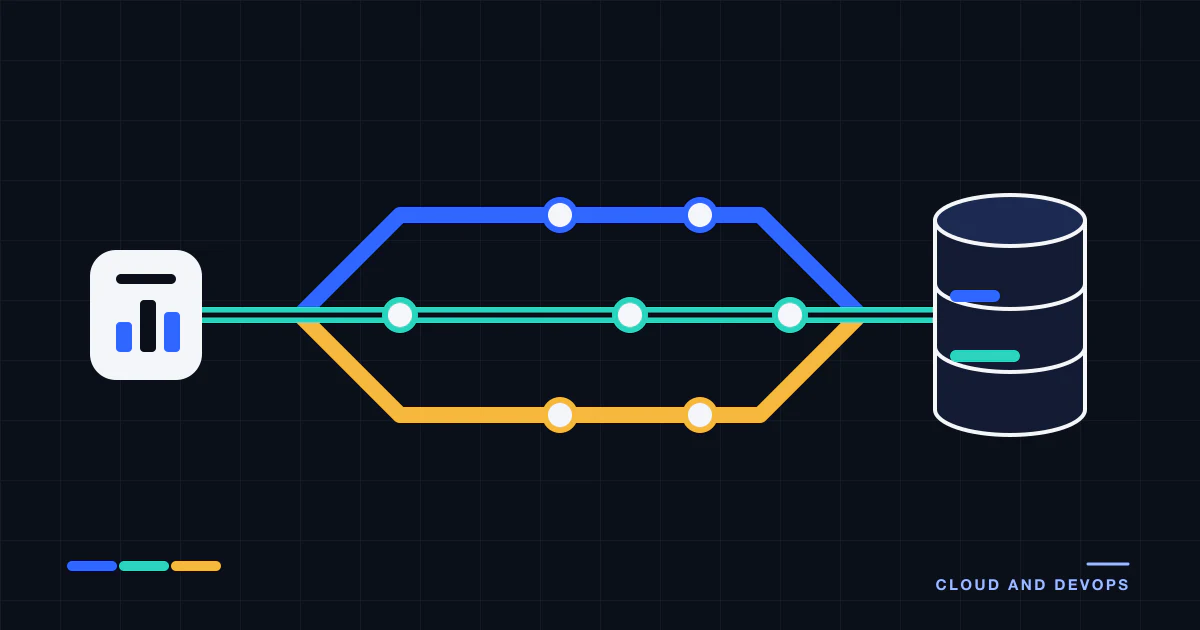
Google Ads to BigQuery: which route fits your situation?
For most teams, Google Ads to BigQuery starts with the BigQuery Data Transfer Service (DTS) connector for Google Ads. Move to a custom pipeline on the Google Ads API when the standard tables do not give you the fields, schedule or loading logic you need, and use a third-party connector when Google Ads is one of many sources you want from one vendor.
| Your situation | Usually the better fit | Why |
|---|---|---|
| One advertiser or one manager account (MCC), standard reports, small team | DTS | No pipeline code to own |
| Fields or segments outside the standard tables | Custom pipeline, or DTS custom reports | Full GAQL control, within DTS limits if you stay on DTS |
| Google Ads is one of many sources, little engineering time | Third-party connector | One tool and one invoice for all sources |
| Several ad platforms joined in one model | Custom pipeline, or connector plus a modelling layer | Shared loading, monitoring and schema rules |
| Strict control over schedule, data flow or residency | Custom pipeline | You decide where data runs and when |
These routes can be mixed. A common split is DTS for the standard Google Ads tables and a custom pipeline for platforms DTS does not cover, joined in BigQuery. The rest of this article explains each route, then the two timing effects that make warehouse numbers disagree with the Google Ads interface. Facts below were checked against Google’s documentation on 2026-10-14.
What does the BigQuery Data Transfer Service load from Google Ads?
DTS is Google’s own connector. You create a transfer for a customer ID or a manager account, pick a dataset, and it loads data on a schedule (Load Google Ads data into BigQuery). As documented on 2026-10-14:
- It transfers data from the reports of Google Ads API v25, and the data lands in tables partitioned by date.
- It supports daily transfers. The maximum frequency is once every 24 hours, and there are no incremental transfers within a day: all data available for a date is transferred.
- A refresh window sets how many past days each run re-fetches, from 1 to 30 days, default 7.
- If several transfers run for the same date, the partition for that date is overwritten with the latest data, so repeated runs and backfills do not create duplicates.
- A backfill run can retrieve data as far back as the Google Ads data retention policy allows.
- A transfer set up on a manager account covers every linked customer ID, up to 8,000 per manager account. Google recommends one manager-level transfer over many single-customer ones.
- Access needs read access to the customer ID or manager account. Transfers can use user credentials (2-Step Verification must be on) or a service account. Creating a transfer needs BigQuery permissions that the predefined BigQuery Admin role includes.
- Performance Max tables are opt-in, and including them removes ad group columns from some tables.
What do the tables look like?
The standard transfer creates per-customer tables with a p_ads_ prefix, such as p_ads_Campaign_CUSTOMERID for attributes and p_ads_CampaignBasicStats_CUSTOMERID for metrics, and views over them (report transformation). Google’s sample queries read the views, named like ads_CampaignBasicStats_CUSTOMERID, so confirm the exact names in your dataset after the first run. The tables are ingestion-time partitioned. If you query tables rather than the views, Google says to filter with the _PARTITIONTIME pseudocolumn. The sample queries filter views on _DATA_DATE and use _LATEST_DATE to pick the newest snapshot of a dimension table.
A query in that style turns the micros cost field into currency and keeps one row per campaign and day:
SELECT
  cs.campaign_id,
  cs._DATA_DATE AS report_date,
  SUM(cs.metrics_cost_micros) / 1000000 AS cost
FROM `my_project.my_dataset.ads_CampaignBasicStats_1234567890` AS cs
WHERE cs._DATA_DATE BETWEEN DATE_SUB(CURRENT_DATE(), INTERVAL 31 DAY)
                        AND DATE_SUB(CURRENT_DATE(), INTERVAL 1 DAY)
GROUP BY cs.campaign_id, report_date
ORDER BY report_date, cost DESC
The project, dataset and customer ID are placeholders. The structure follows Google’s campaign performance sample query.
Can DTS run custom GAQL reports?
Yes, up to 100 custom reports in one transfer, with restrictions. The connector does not support WHERE, ORDER BY, LIMIT or PARAMETERS clauses. When the query has a core date segment, it appends its own segments.date = run_date filter, which can make Google’s query validator complain; Google says that error can be ignored. A query with no segments.date behaves like a match table: updated once a day and not populated by backfills.
What does it cost, and where does it stop?
The BigQuery pricing page lists Google Ads among the connectors with no transfer orchestration charge, and loads into native tables as free. Merges and the storage and querying of the data are billed at standard BigQuery rates. The limits are structural: a fixed table layout, a daily cadence, no control over loading logic, and an API version that Google chooses.
How do you load Google Ads data into BigQuery with the API?
Here you run queries yourself and load the results. GAQL looks like SQL with a resource in the FROM clause:
SELECT
  campaign.id,
  campaign.name,
  segments.date,
  metrics.impressions,
  metrics.clicks,
  metrics.cost_micros
FROM campaign
WHERE segments.date BETWEEN '2026-10-01' AND '2026-10-07'
Google defines the terms on the Google Ads Query Language page. A resource is an entity such as campaign or ad_group, named in FROM. A segment, such as segments.date or segments.device, splits metrics, and each segment value adds rows. A metric is a measurement such as metrics.clicks. Related resources can be selected through the main resource.
Queries go to GoogleAdsService, using Search (paged) or SearchStream. SearchStream opens one persistent connection, and Google says it is typically faster for multi-page reports (streaming). Details that matter when you load the results:
- Micros.
metrics.cost_microsis an int64. Money values in the API use micros, where one million equals one unit of the account currency (Money reference). Divide in your transform. - Zero rows. When you segment, rows where every selected metric is zero are not returned, so a missing date can mean no activity rather than a failed load (zero metrics).
- History. Daily, weekly and hourly segments reach back 37 months. Monthly, quarterly and yearly data reaches back 11 years (date ranges). Plan historical backfills around that.
- Time zone. Date ranges are evaluated in the serving account’s time zone, not UTC.
- Manager accounts. If your access runs through a manager account, requests must set the
login-customer-idheader to the manager account ID, or they fail with a permission error (call structure). - Versions. Google says a major version has a lifespan of around 12 months and that you will need at most two upgrades a year, so budget for them (deprecation and sunset).
Access levels and quotas
A developer token carries an access level. As documented on 2026-10-14 (access levels), the levels are Test, Explorer, Basic and Standard. Production accounts get 2,880 operations a day on Explorer, 15,000 on Basic, and unlimited on Standard. A Search or SearchStream request counts as one operation, and requests that return a Google Ads failure still count (limits and quotas). For reporting jobs the daily count is rarely the constraint. The approval steps for a higher level are.
When does the custom route fit?
Choose it for fields or segments the DTS tables lack, intraday pulls, a schema you design, a loading pattern you control (see idempotent pipelines and backfills), or one code base that also pulls other platforms, as in Amazon Ads API reporting. The cost is ownership: version upgrades, token handling, retries and monitoring are yours. For the wider build-or-buy question, see the data engineering services buyer’s guide.
Is a third-party connector the better option?
Managed connector services pull Google Ads into BigQuery alongside many other sources. They suit teams that want one tool for many sources and little code. Questions to ask any vendor:
- Which Google Ads API version and which reports does the connector use, and how fast does it follow version changes?
- How does it re-pull recent days that Google restates, and how wide is that window?
- Can you add custom GAQL reports or segments?
- How is it priced as accounts, rows or connectors grow?
- Where does the data pass through, and does that meet your data-handling requirements?
The broader trade-offs between tools and bespoke pipelines are in marketing ETL explained. If the Google Ads side of your work also involves bulk edits and writes, the Google Ads Editor, bulk upload and API comparison covers that.
Why do Google Ads numbers in BigQuery differ from the interface?
Two timing effects explain most gaps, whichever route you take.
Reporting lag. Google describes a 1-hour freshness objective for clicks, impressions and cost. Competitive metrics such as impression share and auction insights update about once a day. Conversions attributed with models other than last click are ready later: the freshness page puts Google Ads conversion tracking data at 3 hours for last click and 15 hours for other models. The same page says metrics can be adjusted a day or more after the event, for example when invalid traffic is removed or late conversions arrive (About data freshness).
Conversion delay. Google Ads reports conversions on the ad impression date, while many other tools use the conversion date, and conversions can be reported up to 90 days after the click (data discrepancies). An old day’s conversions can grow after you loaded it. The “by conv. time” columns line up better with tools that use conversion date.
What to do about it:
- Re-pull a window of recent days on every run. DTS gives you up to 30 days, and with the API you pick the window.
- Mark the last few days as incomplete on conversion metrics in dashboards.
- Keep impression-date and conversion-time columns apart, and never mix them in one ratio.
- Keep dates as dates in the account time zone, not UTC timestamps converted back.
- When attribution drives decisions, reload a wider window on a slower schedule than the daily one.
Where Vexio fits
Vexio builds and operates advertising data pipelines as a custom engagement. We start by checking whether DTS already covers your reports and say so when it does. Where it does not, the work covers GAQL report design, extraction from the Google Ads API, repeatable loads into BigQuery, a re-pull window for restated data, backfills and monitoring. The scope is on the advertising data pipelines page, the Google-specific side is on the Google platform page, and cloud setup is covered under cloud and DevOps. To talk through your accounts, request a demo.
Sources
Checked on 2026-10-14.
- Google Cloud, Load Google Ads data into BigQuery: API version, refresh window, partition overwrite, limits, permissions, manager accounts, custom reports.
- Google Cloud, Google Ads report transformation: table and view names.
- Google Cloud, BigQuery pricing: Data Transfer Service pricing for the Google Ads connector.
- Google Ads API, Google Ads Query Language: GAQL terms and examples.
- Google Ads API, Stream reports: Search versus SearchStream.
- Google Ads API, Zero metrics: rows omitted when segmenting.
- Google Ads API, Date ranges: lookback limits and time zone.
- Google Ads API, Call structure: login-customer-id header.
- Google Ads API, Money: micros convention.
- Google Ads API, Deprecation and sunset: version lifespan.
- Google Ads API, Access levels and permissible use and API limits and quotas: daily operations.
- Google Ads Help, About data freshness and Data discrepancies: reporting lag and conversion delay.