
Cloud and DevOps · 10 min read
Idempotent Ad Reporting Pipelines: Backfills and Late Data
How to make ad reporting loads safe to retry: natural keys, MERGE versus partition overwrite in BigQuery, re-pulling restated and late-arriving data, a loaded-dates ledger, backfills within API limits, and retries.
By The Vexio team Published Updated
Why does a re-run double the numbers in an ad report?
Picture a nightly job that appends Tuesday’s campaign report to a table. The load succeeds, but the connection drops before the job records success, so the scheduler retries. The same rows are appended again. Tuesday’s spend now shows at twice the real figure, while ratios such as ACOS stay plausible, so nobody notices until finance compares the dashboard with the invoice. (A made-up scenario, but the usual shape of the bug.)
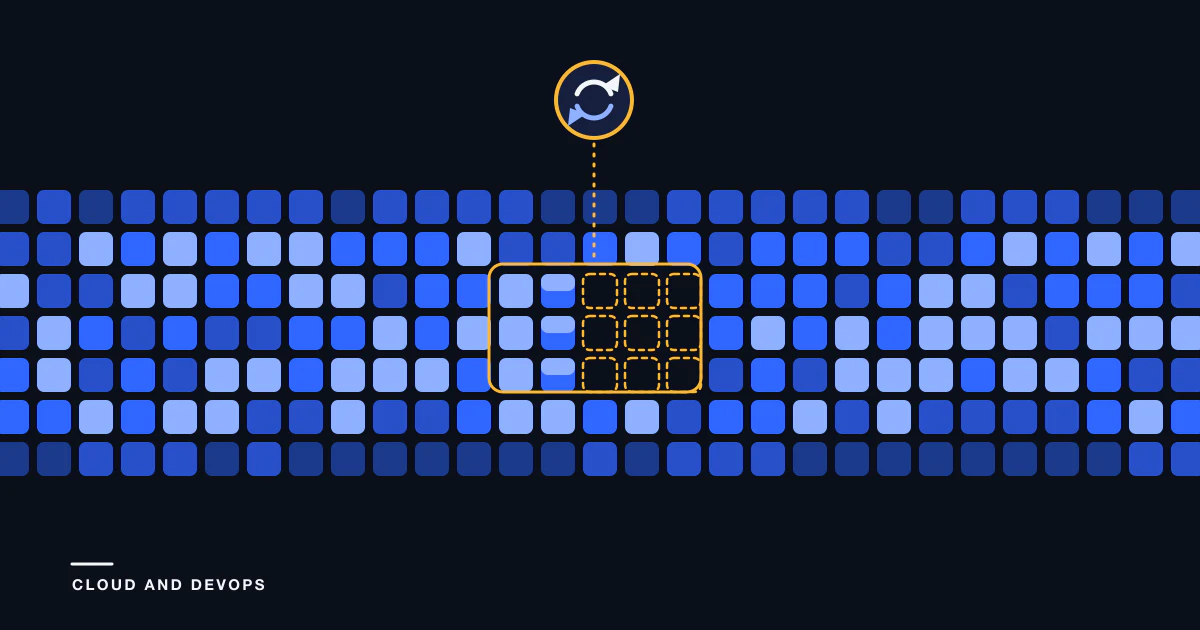
An idempotent ad reporting pipeline prevents it. Running the same window twice leaves the table exactly as it was after the first run. You get there with natural keys, a staging table, a merge or partition replace instead of an append, and a record of which dates were loaded. The SQL below is BigQuery syntax, checked against Google’s documentation on 2026-10-14. The ideas carry over to other warehouses.
What makes an idempotent ad reporting pipeline? Natural keys first
A natural key is the set of columns that identifies one row of a report: the account scope, the date, and every dimension you grouped by.
| Report grain | Natural key |
|---|---|
| Campaign by day | account or profile ID, date, campaign ID |
| Campaign by placement by day | account or profile ID, date, campaign ID, placement |
| Search term by day | account or profile ID, date, campaign ID, ad group ID, match type, search term |
Three rules prevent most duplicate rows:
- Put every grouping or segment column in the key. If two source rows differ only in a column you left out, one overwrites the other or the load fails.
- Remove nulls from key columns in staging. Google’s MERGE documentation says
NULL = NULLevaluates toNULL, not true, which creates duplicate rows when a join column holds nulls (DML syntax). - Deduplicate the source before merging. If a
MERGEhas an update or delete clause and several source rows match one target row, BigQuery returns a runtime error.
Partition overwrite, delete-and-insert or MERGE?
Three patterns make a load repeatable. They fit different extracts.
| Pattern | How it works | Watch out for |
|---|---|---|
| Partition overwrite | A load job overwrites one date partition, addressed with a decorator such as table$20261014 |
Needs a complete extract per date. Load jobs count toward partition modification quotas |
| Delete then insert in a transaction | BEGIN TRANSACTION, delete the date or window, insert the new rows, COMMIT TRANSACTION |
Two statements to maintain |
MERGE |
Match on the natural key, update matched rows, insert new ones, optionally delete missing ones | Source must be unique on the key. Pruning needs filters on the partition column |
Google documents each piece. A load job can overwrite an existing table or partition, and the result of a load job is atomic (batch loading). Partition decorators address a single partition for writes (partitioned table data). Google’s DML page shows replacing a partition inside a transaction, with a delete that covers a whole partition removing it without scanning (DML on partitioned tables).
Use partition overwrite or delete-and-insert when each extract is a complete day per account, and MERGE when extracts cover windows or accounts share a table.
As documented on 2026-10-14 (quotas), load jobs count toward 30,000 partition modifications a day on a column-partitioned table, while DML statements do not. BigQuery runs up to two concurrent mutating DML statements per table and queues up to 20 more, so merge accounts into one table in sequence, or several accounts per statement.
A BigQuery MERGE that is safe to run twice
This loads a re-pulled window of campaign-by-placement-by-day rows. Table names are placeholders, and @account_id, @start_date and @end_date are query parameters.
MERGE `proj.ads.campaign_daily` AS t
USING (
  -- keep only the newest extract of each key
  SELECT * EXCEPT (rn)
  FROM (
    SELECT
      s.*,
      ROW_NUMBER() OVER (
        PARTITION BY account_id, report_date, campaign_id, placement
        ORDER BY extracted_at DESC
      ) AS rn
    FROM `proj.ads_stage.campaign_daily` AS s
    WHERE s.account_id = @account_id
      AND s.report_date BETWEEN @start_date AND @end_date
  )
  WHERE rn = 1
) AS s
ON  t.account_id  = s.account_id
AND t.report_date = s.report_date
AND t.campaign_id = s.campaign_id
AND t.placement   = s.placement
AND t.report_date BETWEEN @start_date AND @end_date
WHEN MATCHED THEN
  UPDATE SET
    impressions = s.impressions,
    clicks      = s.clicks,
    cost        = s.cost,
    loaded_at   = CURRENT_TIMESTAMP()
WHEN NOT MATCHED THEN
  INSERT (account_id, report_date, campaign_id, placement,
          impressions, clicks, cost, loaded_at)
  VALUES (s.account_id, s.report_date, s.campaign_id, s.placement,
          s.impressions, s.clicks, s.cost, CURRENT_TIMESTAMP());
Matched keys get the newest numbers and new keys are inserted. A second run with the same input changes nothing except loaded_at. Keys the platform stopped returning stay in the table. To remove them, WHEN NOT MATCHED BY SOURCE can delete, but Google says combining both not-matched clauses usually produces a full outer join that cannot be pruned. For replacing a window, Google’s pattern is a constant false merge condition with filters in the clauses:
MERGE `proj.ads.campaign_daily` AS t
USING (
  SELECT *
  FROM `proj.ads_stage.campaign_daily_newest`  -- a view: one newest row per key
  WHERE account_id = @account_id
    AND report_date BETWEEN @start_date AND @end_date
) AS s
ON FALSE
WHEN NOT MATCHED THEN
  INSERT (account_id, report_date, campaign_id, placement,
          impressions, clicks, cost, loaded_at)
  VALUES (s.account_id, s.report_date, s.campaign_id, s.placement,
          s.impressions, s.clicks, s.cost, CURRENT_TIMESTAMP())
WHEN NOT MATCHED BY SOURCE
  AND t.account_id = @account_id
  AND t.report_date BETWEEN @start_date AND @end_date THEN
  DELETE;
This swaps the whole window atomically. Run it only after the extract for the entire window has finished and passed checks (non-empty, plausible row count), because a partial extract would delete good rows. The source filter and the delete filter must cover the same account and window.
How should you handle late-arriving data in ad reports?
Ad platforms restate their numbers, so treat recent days as provisional. What the platforms say, as documented on 2026-10-14:
- Amazon Ads. Conversion data is validated at daily, weekly and monthly intervals and can change for up to 60 days back. Invalid-traffic detection monitors clicks for up to 30 days, and Amazon recommends waiting at least five days for the most accurate click data and re-retrieving reports monthly (reporting overview).
- Google Ads. Conversions are reported on the ad impression date and can arrive up to 90 days after the click. Metrics can also be adjusted a day or more later, for example when invalid traffic is removed (data discrepancies, data freshness).
A practical scheme has three lanes:
- Daily lane. Re-pull the most recent days on every run, as many as your reporting needs.
- Slow lane. Re-pull a wider window weekly or monthly to catch conversion restatements.
- Settled history. Past the restatement window, stop re-pulling.
Add a maturity column (provisional or settled) so dashboards can mark recent days. Keep raw extracts with a pull timestamp in object storage or an append-only table. BigQuery time travel covers the other half: by default you can query a table as it was within the past seven days, and the window can be set from two to seven days (time travel). That helps you inspect a bad load, but it is a recovery window, not an audit trail, so keep the raw extracts.
Record which date each metric hangs on, since a pipeline mixing sources must note each column’s convention. The Google side is covered in Google Ads to BigQuery options and the Amazon side in Amazon Ads API reporting explained.
The loaded-dates ledger and gap detection
A ledger is a small table with one row per source, account, date and pull: status (complete, failed, partial), row_count, run_id, pulled_at and maturity. Write the ledger row last, after the load commits, so a half-finished run never looks complete. Gap detection is then a query: every date that should exist, minus the dates with a complete ledger row.
SELECT d AS missing_date
FROM UNNEST(GENERATE_DATE_ARRAY(@first_date, @last_date)) AS d
LEFT JOIN `proj.ads_ops.loaded_dates` AS l
  ON  l.account_id  = @account_id
  AND l.source      = @source
  AND l.report_date = d
  AND l.status      = 'complete'
WHERE l.report_date IS NULL
ORDER BY d;
Feed the result to the backfill routine; daily loads and backfills should share one code path that differs only in the date window. Alert on freshness (no complete ledger row for an account by its expected time), not only on failed jobs, because a job that never started produces no failure.
How do you run an ETL backfill without tripping rate limits?
- Chunk by the API’s limits. As documented on 2026-10-14, Amazon’s version 3 campaign reports allow at most 31 days per request, with data retention of 95 days for Sponsored Products, 60 for Sponsored Brands, 65 for Sponsored Display and 95 for Amazon DSP (campaign reports). Amazon also says version 3 reporting will be deprecated on June 30, 2027, so check which reporting version you are building on.
- Know the horizon. Anything older than the retention window cannot be re-fetched, so keep what you load. For Google Ads, daily segments reach back 37 months (date ranges).
- Spread requests out. Amazon advises doing reporting backfills and older periods in smaller increments throughout the day (rate limiting). The reporting API v1 allows one concurrent report per advertiser account (reporting overview).
- Newest first, so dashboards recover quickly, and validate each slice against a platform total before marking it complete.
Retries, duplicate requests and time zones
Retry server errors and throttling (HTTP 429), not other 4xx responses. Use exponential backoff with a maximum delay and a maximum number of retries, as Amazon’s guidance describes. A 429 carries a Retry-After value in seconds, and Amazon suggests longer backoff for report generation (rate limiting). The AWS Builders’ Library explains why backoff needs jitter and why only idempotent operations are safe to retry (timeouts, retries and backoff with jitter).
Asynchronous reports add one trap. Amazon returns a 425 when you submit a duplicate report request with identical parameters, and says generation can take up to three hours (get started with version 3 reports). Save the report ID as soon as it is created so a restart resumes polling instead of submitting again.
Report dates belong to the account, not your server. Amazon profiles carry a timezone and currencyCode (profiles), and Google Ads evaluates date ranges in the account’s time zone. Store the date exactly as the source gives it, keep each account’s time zone in a dimension table, and treat a day as complete only after it ends in that zone plus the platform’s lag.
Where to read next
For the wider context, see marketing ETL explained. If you are weighing who should build this, the data engineering services buyer’s guide lists what to ask. Terms such as ACOS are defined in the glossary.
If you want this built and run for you
Vexio delivers these patterns as custom engagements: natural key design per report, staging and idempotent loads, rolling re-pulls of recent days, a loaded-dates ledger with gap detection, backfills within each platform’s limits, monitoring and documentation your team can run. The scope is described on the advertising data pipelines page, and the hosting and deployment side is under cloud and DevOps. To talk through your sources, request a demo.
Sources
Checked on 2026-10-14.
- Google Cloud, DML syntax (MERGE): MERGE clauses and errors.
- Google Cloud, Update partitioned table data using DML: pruning, constant false condition, partition replace.
- Google Cloud, Managing partitioned table data and Batch loading data: decorators, overwrite, atomic loads.
- Google Cloud, Quotas and limits and Time travel: DML limits, time travel.
- Amazon Ads API, Reporting overview, Campaign reports, Get started with version 3 reports, Rate limiting, Profiles.
- Google Ads Help, About data freshness and Data discrepancies; Google Ads API, Date ranges: restatement, lookback.
- AWS Builders’ Library, Timeouts, retries and backoff with jitter.